
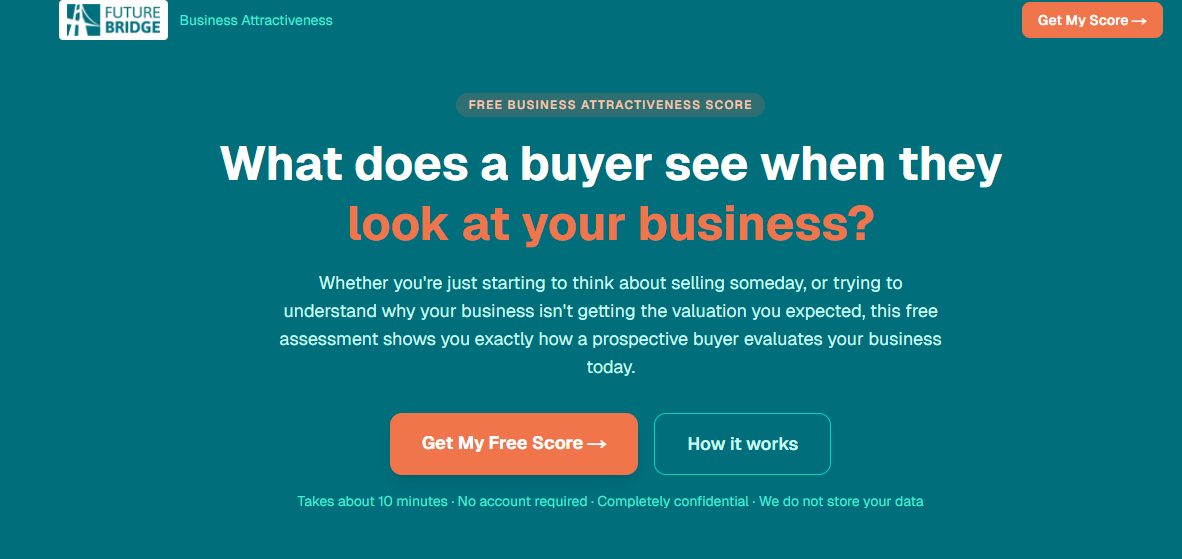
At FutureBridge, we recently made a deliberate decision: stop just using AI chat tools and become true AI practitioners. The result is two fully functional, production-grade web applications built in days, not months (they will be live on our website soon after final testing). I think it is fair to say, after my experience building these apps, you can mostly believe the hype.
We have been expanding into Exit Planning, helping business owners prepare their companies for eventual sale, infusion of capital, or transfer of ownership to family. To that end, most business owners want to know how their company might look to a potential investor or buyer. Where are the sources of value in the firm? What aspects of the business might lower valuations?
As we embarked on this journey, we discovered that most of our peers in this space offer pre-built assessment tools they brand as their own. Those tools work fine. But we wanted something custom, built around our methodology, and given all the hype around AI, we wondered if we could build it ourselves. We discovered first-hand that a process that used to require a team of developers and months of work now took days. The reason was Claude Code.
What Claude Code Actually Is
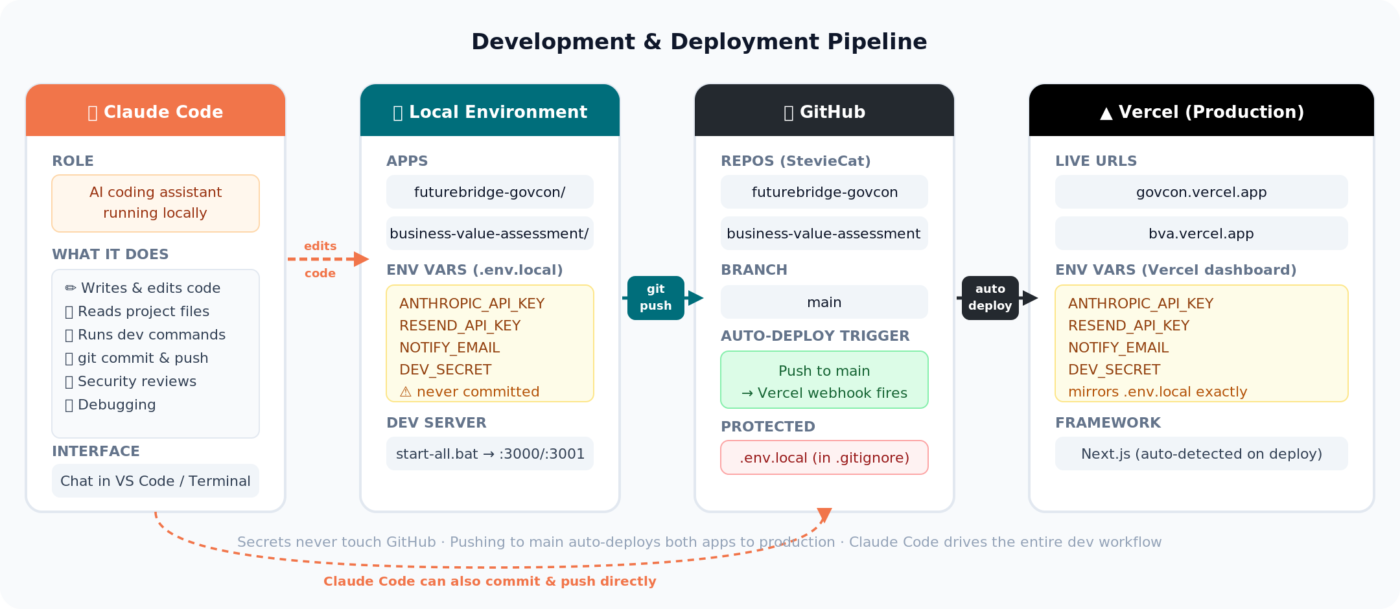
Like almost everyone else, I have seen the claims, watched the videos, and wondered if it was all BS. Can you really build an app if you are not a developer? I decided to use Claude Code precisely because it is not a glorified autocomplete. I discovered it is a genuine development partner that reads your files, writes and edits code, runs commands, catches bugs, reviews for security vulnerabilities, and commits and pushes to GitHub, all through a conversational interface.
I ended up building two tools to support our exit planning business. The GovCon M&A Readiness Assessment helps government contractors gauge how attractive they would look to a potential acquirer. The Business Value Assessment does the same for the broader small business market. Both are about to go live in production after we do some final checks.
The Technical Stack
The stack we (okay by we I mean Claude and me) chose was deliberate: Next.js 16 for routing and API handling, React 19 for the UI, TypeScript throughout, Tailwind CSS v4 for styling, and the Anthropic SDK to connect to Claude Opus, which powers the AI scoring engine at the core of both tools.
Each app walks users through a multi-step assessment with multiple questions across roughly ten categories (the apps have their own categories). On submission, answers go to Claude Opus, which scores the business against weighted criteria drawn from the Exit Planning Institute’s methodology and standard M&A factors, returning a structured JSON report.
I built a deliberate lead-capture layer as well. Users see a summary score immediately, but the full report (category breakdowns, identified risks, a buyer narrative, an improvement roadmap) is gated behind a simple contact form. Submitting triggers two emails via Resend: a notification to our team and the full branded report delivered directly to the user.
Security was built in from the start. API keys live in environment variables, not in code. Rate limiting on all API routes guards against abuse and runaway AI costs. The deployment pipeline runs on GitHub and Vercel, so every push to main automatically deploys both apps to production with no manual steps required.
A Note on Privacy
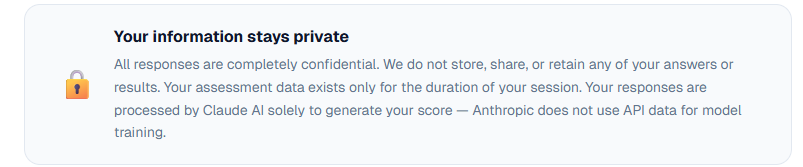
One thing we want to be clear about: we do not store assessment responses, Anthropic does not use any submitted data to train AI models, and the assessments are fully anonymous. We have no way of knowing who completed an assessment unless you choose to share your contact information to receive the full report. Users who do submit their information receive their reports through a transactional email flow, and that data goes no further.
Working Locally…Again
To unlock Claude Code you need the desktop app. And just like many years ago, you develop on your local machine. So, your local machine needs some helper apps and other things set up. It’s not hard, and guess what, Claude tells you what you need to do and in most cases, does it by itself. But I did find it odd to be working locally again and not in the Cloud. Fun fact: I made a similar app using Gemini which is completely cloud based. More on that in a searate post.
The Bottom Line
From first line of code to live production testing, it took days, not months. The only “developer” in the room was Claude Code. I used to manage development teams. I know how long apps like this take to develop using “traditional” methods.
I found that building with Claude Code still requires some judgment. You need to know what you want to build, review what it produces, and understand your domain well enough to catch edge cases and the things it might get wrong. AI does not eliminate the need for thinking about the app. It eliminates the mechanical work that used to sit between having an idea and actually creating something.
For small business owners who have been watching the AI wave from the sidelines: the barrier between “I have an idea for a tool” and “that tool is live” has fallen faster than most people realize. So you know what? You can believe the hype.
If you’re a business owner who’s been curious about what AI could actually do for your company — not in theory, but in practice — that’s exactly the conversation we have with clients every day at FutureBridge. Drop us a note at AI@futurebridgeinc.net
